
The Developer's Guide to B2B Data Enrichment API Integration
Learn how to build a scalable, high-performance data enrichment pipeline using the LeadMagic API. Code examples, error handling, and best practices included.
Jesse Ouellette
July 22, 2025
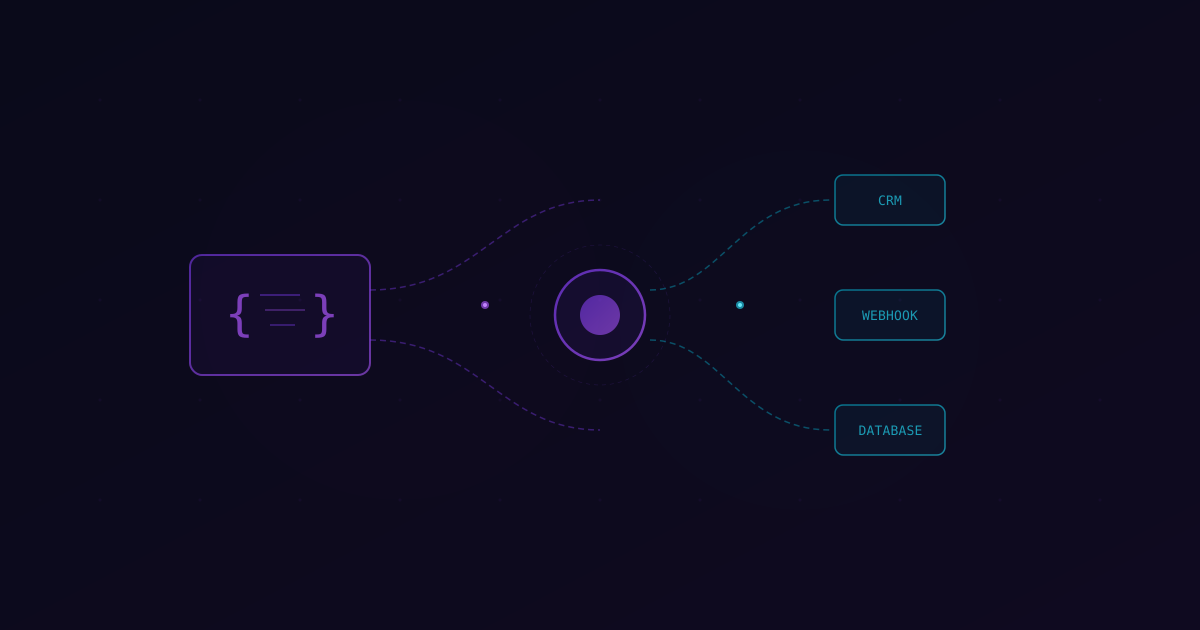
Building a sales tool or an internal automation workflow often starts with a simple question: how do we get more data on these leads? You might have an email address, but you need a name, a job title, a B2B profile, and a company size. This is where data enrichment APIs come in.
I've seen too many teams treat enrichment as a simple fetch request and call it a day. If you're building for scale, you need to think about rate limits, data accuracy, caching, and error handling. A poorly implemented integration will either burn through your budget or crash your application when you hit a spike in traffic. This guide covers the technical patterns you need to build a professional-grade enrichment engine.
Getting Started with the LeadMagic API
The LeadMagic API is designed to be simple but powerful. We focus on high-quality, verified data with a 97% accuracy rate. Before you write any code, you'll need an API key from your dashboard.
Our primary endpoint for finding people is a POST request. Here's the basic structure of a request to find an email and enrich a profile.
async function findLeadEmail(firstName, lastName, domain) {
  const apiKey = process.env.LEADMAGIC_API_KEY;
  const url = "https://api.leadmagic.io/v1/people/email-finder";

  try {
    const response = await fetch(url, {
      method: "POST",
      headers: {
        "X-API-Key": apiKey,
        "Content-Type": "application/json",
      },
      body: JSON.stringify({
        first_name: firstName,
        last_name: lastName,
        domain: domain,
      }),
    });

    if (!response.ok) {
      const errorData = await response.json();
      throw new Error(`API Error: ${response.status} - ${errorData.message}`);
    }

    const data = await response.json();
    return data;
  } catch (error) {
    console.error("Enrichment failed:", error.message);
    return null;
  }
}
This snippet shows the fundamental pattern. We use the X-API-Key header for authentication and send a JSON body with the lead's details. Notice the error handling. You should always check response.ok before trying to parse the JSON.
Real-Time vs. Batch Enrichment
One of the first architectural decisions you'll make is whether to enrich data in real-time or in batches.
Real-Time Enrichment
This is best for user-facing applications. For example, if a user enters a domain into your search bar, you want to show them company details immediately. Real-time enrichment provides the best user experience but puts more pressure on your API limits and requires low-latency responses.
Batch Enrichment
If you're processing a CSV of 10,000 leads, you don't want to fire 10,000 concurrent requests. You'll hit rate limits instantly. Instead, you should use a queue system. Process leads in chunks of 50 or 100, and add a small delay between batches. This is much more stable for background jobs and CRM syncing.
Handling Rate Limits and Errors
Every API has limits. If you ignore them, you'll get 429 "Too Many Requests" errors. A reliable integration handles these gracefully using exponential backoff.
Exponential backoff means that if a request fails due to rate limiting, you wait a short time before retrying. If it fails again, you wait longer. This prevents you from hammering the server and gives the API time to reset your quota.
async function fetchWithRetry(url, options, retries = 3, backoff = 1000) {
  try {
    const response = await fetch(url, options);

    if (response.status === 429 && retries > 0) {
      console.warn(`Rate limited. Retrying in ${backoff}ms...`);
      await new Promise((resolve) => setTimeout(resolve, backoff));
      return fetchWithRetry(url, options, retries - 1, backoff * 2);
    }

    return response;
  } catch (error) {
    if (retries > 0) {
      return fetchWithRetry(url, options, retries - 1, backoff * 2);
    }
    throw error;
  }
}
In this example, we double the wait time (backoff * 2) after each failure. This is a standard pattern for resilient API integrations.
Data Normalization and Caching
Data from different sources often comes in different formats. One API might return "United States," while another returns "US." Before you save data to your database, you should normalize it. This makes your data much easier to query later.
Caching is also vital. Enrichment credits cost money. If you've already enriched jesse@leadmagic.io today, you shouldn't pay to enrich it again five minutes later.
We recommend a two-tier caching strategy:
- Short-term cache (Redis): Store results for 24-48 hours. This handles duplicate requests in the same session or batch.
- Long-term storage (Postgres/MongoDB): Store the enriched profile in your main database. Set a "last_enriched_at" timestamp. Only re-enrich if the data is older than 30 or 90 days.
By implementing a smart cache, you can reduce your API costs by 20-30% depending on your lead overlap.
Advanced Patterns: Webhooks and Async Processing
For heavy workloads, you shouldn't wait for the API response in your main thread. Instead, use an asynchronous pattern.
- Your application receives a request to enrich a lead.
- You add the lead's ID to a message queue (like RabbitMQ or AWS SQS).
- A worker process picks up the message and calls the LeadMagic API.
- The worker updates your database with the results.
This keeps your main application fast and responsive. If the enrichment API is slow or down, your users won't even notice because the work is happening in the background.
Security Best Practices
Your API key is a direct line to your credits. If it leaks, someone else can use your budget.
- Never store keys in your code. Use environment variables.
- Never call the API from the frontend. A user can easily open the network tab and steal your key. Always proxy your requests through a backend server.
- Rotate your keys regularly. If you suspect a leak, revoke the old key and generate a new one immediately.
Integrating Company Enrichment
While finding people is great, understanding the company they work for is just as important. Our Company Enrichment endpoint allows you to pull in data like industry, headcount, and tech stack using just a domain.
The integration pattern is identical to the people finder. You send a POST request with the domain, and we return a structured JSON object. Combining these two endpoints allows you to build a complete picture of your prospects.
Key Takeaways
- Use the
X-API-Keyheader and POST requests for the LeadMagic API. - Implement exponential backoff to handle 429 rate limit errors.
- Cache results to save on pricing and improve performance.
- Normalize data before saving it to your database.
- Always proxy API calls through your backend to keep your keys secure.
- Aim for 97% accuracy by using verified data sources.
Bottom Line
Integrating an enrichment API isn't just about making a network call. It's about building a reliable system that handles errors, saves money, and provides accurate data to your team. By following these patterns, you'll create a data pipeline that scales with your business.
Ready to build? Check out our full API documentation and start enriching your leads with 97% accuracy today.
Need help with your integration? Our engineering team is always happy to chat about best practices and custom workflows.