
Email Validation Best Practices for 2026
Stop guessing, start verifying. Learn email validation nuances, catch-all handling, and why 97% accuracy is the benchmark.
Patrick Spielmann
March 7, 2026
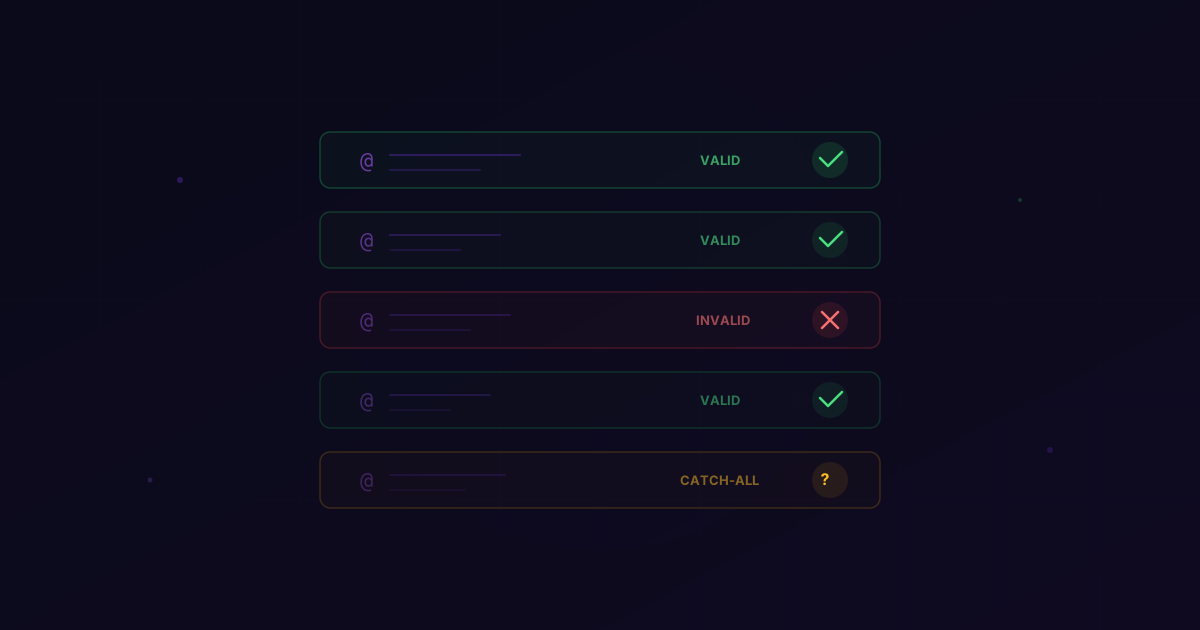
In the world of B2B sales, your email list is your most valuable asset—or your biggest liability.
Most sales teams treat email validation as a checkbox. They run their list through a cheap tool, see a "valid" status, and hit send. Then they wonder why their bounce rates are still high, why their open rates are stagnant, and why their domains are getting burned.
The truth is that email validation is a deeply technical process that requires more than just a surface-level check. In 2026, with ISPs using increasingly sophisticated methods to block spam, you need a validation strategy that is as rigorous as your sales process.
At LeadMagic, we've processed millions of emails. We've seen every edge case, every server configuration, and every trick in the book. In this guide, I'm going to share the best practices we've developed to maintain our 97% accuracy benchmark and help our customers stay in the primary inbox.
Why Email Validation is Non-Negotiable
Before we get into the "how," let's talk about the "why."
1. Protecting Your Sender Reputation
Your sender reputation is like a credit score for your email domain. Every time you send an email to an invalid address, your score goes down. If it drops too low, you're blacklisted. Recovering from a blacklisted domain can take months of painstaking work. Validation is the primary way you protect this score.
2. Maximizing ROI on Outreach Tools
Most outreach platforms (Salesloft, Outreach, Apollo, etc.) charge you based on the number of seats or the number of emails sent. If 10% of your emails are bouncing, you're literally paying to fail. By validating your list first, you ensure that every dollar you spend on software is going toward reaching a real person.
3. Improving Sales Morale
There is nothing more demoralizing for an SDR than spending hours researching a prospect and writing a perfect email, only to have it bounce immediately. High-quality email validation ensures that your team's effort is focused on leads that actually exist.
The Three Levels of Email Validation
Not all validation is created equal. To get to 97% accuracy, you need to understand the different layers of the process.
Level 1: Syntax and Format Checks
This is the most basic level. It checks if the email "looks" right. Does it have an @ symbol? Is there a domain extension? Are there any illegal characters? While necessary, this catches less than 5% of actual issues.
Level 2: Domain and MX Record Verification
This level checks if the domain actually exists and if it's configured to receive email. It looks for MX (Mail Exchange) records. If a company has gone out of business or changed its domain, this check will catch it.
Level 3: SMTP Handshake (The Gold Standard)
This is where the real work happens. The validation tool connects to the recipient's mail server and starts a conversation. It asks, "Does a mailbox for 'john.doe@company.com' exist?"
The server will respond with a code. A "250 OK" means the mailbox is there. A "550" means it's not. The key is to do this without actually sending an email. This is the core of LeadMagic's Email Finder and validation engine.
The Catch-All Conundrum
If you've ever used a validation tool, you've seen the "Catch-All" (or "Accept-All") status. This is the bane of the sales world.
A catch-all server is configured to accept any email sent to its domain, even if the specific mailbox doesn't exist. The server says "Yes, I'll take that," but then it might silently drop the email or bounce it later.
How to Handle Catch-Alls in 2026
Most tools tell you to just delete catch-alls. We think that's a mistake. In many industries, up to 40% of business emails are catch-alls. If you delete them, you're cutting your TAM in half.
Instead, you need a more nuanced approach:
- Risk Scoring: Use a tool that provides a risk score for catch-alls. Some catch-alls are safer than others based on the company's historical behavior.
- Verification via Social: Cross-reference the email with B2B social profiles. If the person is active on professional networks with that company, the email is much more likely to be valid.
- The "Slow Send" Method: If you must send to catch-alls, do it in very small batches and monitor the results closely.
At LeadMagic, our email validation goes deeper into catch-all detection than generic tools. We use proprietary logic to help you identify which catch-alls are worth the risk, helping you maintain that 97% accuracy while still reaching the maximum number of prospects.
When Should You Validate?
Validation isn't a one-time event. It's a lifecycle.
1. At the Point of Entry
If you have a lead magnet or a contact form on your site, validate the email in real-time. This prevents "junk" data from ever entering your CRM.
2. Before Every Campaign
B2B data decays at a rate of about 3% per month. If you have a list that's three months old, nearly 10% of it is likely invalid. Never start a new sequence without a fresh validation pass.
3. Quarterly CRM Hygiene
People change jobs constantly. A "valid" lead from six months ago might be at a completely different company today. Use job change detection and regular validation to keep your CRM clean.
The ROI of High-Accuracy Data
Let's look at the numbers. Imagine you're sending 10,000 emails a month.
- Scenario A (85% Accuracy): 1,500 bounces. Your domain reputation takes a hit. Your open rates drop to 15%. You get 1,275 opens.
- Scenario B (97% Accuracy): 300 bounces. Your domain reputation stays healthy. Your open rates stay at 25%. You get 2,425 opens.
By moving from 85% to 97% accuracy, you've nearly doubled your reach without increasing your send volume. That is the power of data quality.
Choosing the Right Validation Partner
When evaluating validation tools, don't just look at the price per credit. Look at the methodology.
- Do they use cached data? Some providers keep a database of "valid" emails and give you those results instead of checking in real-time. This is cheaper for them, but it's often wrong. LeadMagic always performs real-time checks.
- How do they handle Greylisting? Some servers will temporarily "reject" an email to see if the sender tries again (a common anti-spam tactic). A good validation tool knows how to handle this.
- Is it integrated? You shouldn't have to export and import CSVs all day. Look for a tool that integrates with your workflow, like our native Clay integration or our enrichment API.
Actionable Takeaways
- Set a "Hard Bounce" Limit: If a campaign hits a 2% hard bounce rate, stop it immediately and re-validate your list.
- Segment by Risk: Group your leads into "Valid," "Risky/Catch-All," and "Invalid." Only send your high-volume sequences to the "Valid" group.
- Invest in Real-Time Data: Stop relying on static databases. Use LeadMagic to get 97% accurate, real-time verified data.
- Monitor "Soft Bounces": If you see a lot of "mailbox full" or "blocked" messages, it's a sign that your content or your frequency is the problem, not just the email address.
Bottom Line
Email validation is the "boring" part of sales, but it's the part that makes everything else possible. You can have the most incredible product in the world, but if your emails aren't being delivered, you don't have a business.
In 2026, the standard is 97%. Anything less is a risk you can't afford to take.
Ready to clean up your list and start hitting the inbox? Sign up for LeadMagic and see why 3,000+ sales teams trust us with their data.