
Email Finder vs Verifier: Differences and When You Need Both
Email finders discover email addresses. Email verifiers check if they're real. Here's when you need each — and why the best tools combine both.
Patrick Spielmann
February 12, 2026
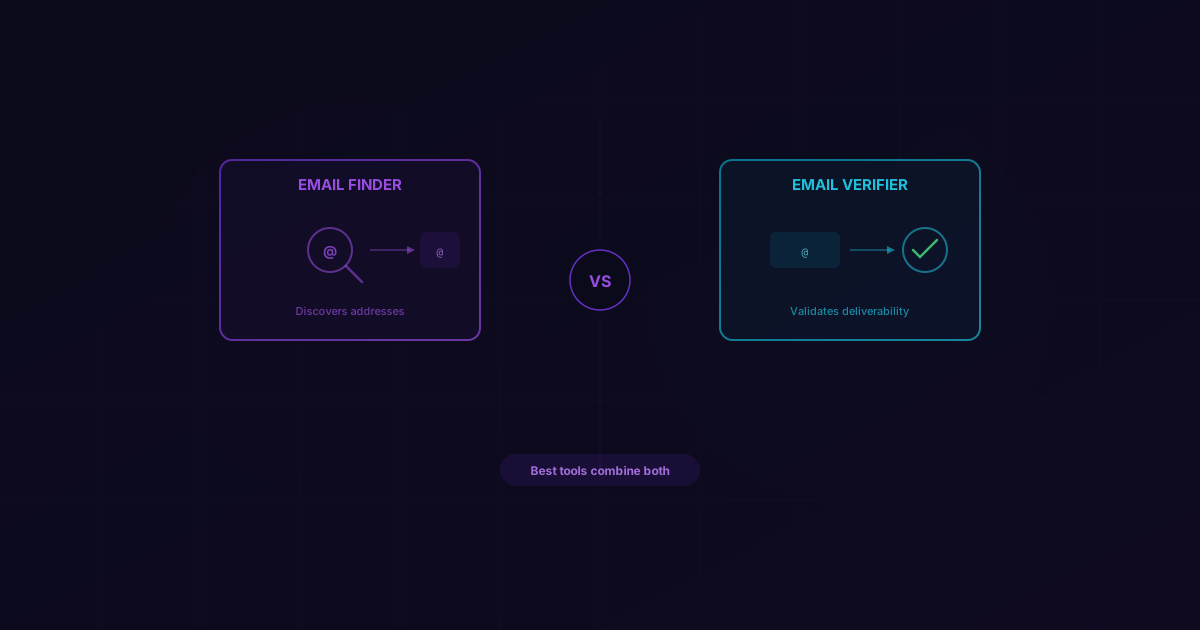
I get this question at least once a week: "What's the difference between an email finder and an email verifier? And do I really need both?"
It's a fair question. The tools sound like they do similar things, and most sales teams don't realize they're solving completely different problems until they've already wasted credits on the wrong one. I've seen teams burn through thousands of dollars verifying emails they should have found differently, or finding emails they never bothered to verify—and then wondering why their bounce rate hit 12%.
Let me break it down. Not with marketing jargon, but with the clarity you need to make the right call for your team.
What Is an Email Finder?
An email finder takes what you already know about a person—their name, their company, maybe a LinkedIn URL—and discovers their email address.
Here's a real example. You're prospecting into Acme Corp and you want to reach Sarah Johnson, their VP of Sales. You don't have her email. You have her name, her title, and the company domain. An email finder takes those inputs, searches its data sources, cross-references patterns, and returns sarah.johnson@acmecorp.com—or whatever the actual address is.
The key word is discovery. You're going from zero to an actionable email address. Without an email finder, your only options are guessing patterns (first.last@domain.com and hoping for the best), searching manually on Google, or paying for a database subscription that's already six months stale.
A good email finder doesn't just guess. It aggregates signals from multiple data sources—public records, crawled web data, pattern analysis, and proprietary databases—to surface the most likely correct address. The best ones also validate what they find before returning it to you, but more on that in a moment.
What Is an Email Verifier?
An email verifier takes an email address you already have and checks whether it's real, active, and safe to send to.
Different scenario. You've got a CRM with 20,000 contacts that your team has accumulated over the past three years. Some of those people have changed jobs. Some domains have shut down. Some addresses were typos from day one. An email verifier runs each address through a series of technical checks and tells you: this one is valid, this one is dead, and this one is risky.
The checks typically include:
- Syntax validation — Is the format even correct? (
john@@companyis obviously wrong, butjonh@compnay.comlooks fine to the naked eye) - MX record lookup — Does the domain actually have mail servers configured?
- SMTP verification — Does the mail server acknowledge that this specific mailbox exists?
- Catch-all detection — Is this domain configured to accept all emails regardless of whether the mailbox is real?
- Disposable domain check — Is this a throwaway email from Mailinator or Guerrilla Mail?
The output isn't an email address—you already had that. The output is a verdict: valid, invalid, risky, or unknown. That verdict determines whether you should keep that contact in your outreach list or remove it before it damages your sender reputation.
The Key Differences
People conflate these tools because they both involve email addresses. But the workflow, the input, and the value proposition are fundamentally different.
| Email Finder | Email Verifier | |
|---|---|---|
| Purpose | Discover an unknown email address | Validate a known email address |
| Input | Name + company, LinkedIn URL, or domain | An existing email address |
| Output | A deliverable email address | A status verdict (valid/invalid/risky) |
| When to use | Building new prospect lists from scratch | Cleaning existing lists or CRM data |
| Cost per lookup | Higher (discovery + verification combined) | Lower (verification only) |
| Risk if skipped | You have no way to reach the prospect | You send to dead addresses and tank deliverability |
The simplest way to think about it: a finder gets you the address, a verifier tells you if the address is any good. One is offense, the other is defense.
Why the Best Tools Combine Both
Here's where things get interesting—and where most teams are overspending.
If you're using a basic email finder, it returns an address and calls it a day. You then need to take that address, feed it into a separate email verification tool, wait for results, and cross-reference. That's two tools, two bills, two API integrations, and a messy workflow in between.
The smarter approach? Use a finder that verifies as it finds.
At LeadMagic, our Email Finder runs a 5-layer validation pipeline on every result before we return it to you. We don't just discover an address and toss it over the fence. We check MX records, verify SMTP responses, resolve catch-all domains to a definitive "valid" or "not found" (instead of returning an ambiguous "catch-all" status like other tools), filter role-based addresses, and score deliverability risk. If an address doesn't pass, we don't return it—and we don't charge you for it.
That means the finder is the verifier. You're not paying twice. You're not maintaining two vendor relationships. And you're not building glue code to pipe data from Tool A into Tool B.
This is the direction the industry is heading. Standalone verifiers still have their place (I'll cover that in a second), but for net-new prospecting, a combined tool eliminates an entire layer of friction.
When You Need Each
Not every situation calls for both tools. Here's how to think about it in practice.
Building a new prospect list from scratch
Use an email finder. You're starting with names, companies, and maybe LinkedIn URLs. You need to turn that data into actionable email addresses. A verification-only tool can't help you here because you have nothing to verify yet.
If your email finder includes built-in verification (like LeadMagic's does), you're done. One step. If it doesn't, you'll need to run the results through a verifier before you hit send.
Cleaning an existing CRM or marketing list
Use an email verifier. You already have email addresses—potentially thousands of them. What you don't know is how many are still valid. People change jobs. Companies get acquired. Domains expire. A quarterly verification pass on your existing database is basic hygiene that protects your sender reputation.
For this workflow, you don't need a finder. You need a tool that can process your existing addresses in bulk and flag the dead ones. LeadMagic's email validation handles this via CSV upload or API.
Doing both at the same time
Use LeadMagic. Seriously—this is the use case we built for. You can run net-new email discovery with built-in verification, and you can validate your existing lists, all through the same platform and the same credit balance. No juggling vendors.
We've talked to teams that were paying $300/month for a finder and $150/month for a separate verifier. They switched to LeadMagic's pay-per-result model and cut their spend in half while getting better accuracy. The math works because you're not paying subscription fees for credits you don't use.
Common Mistakes
After years of working with sales and ops teams on their email data quality, the same patterns come up over and over.
Using a finder without any verification
This is the most common mistake—and the most expensive one. A finder returns an address. You assume it's good. You blast 5,000 cold emails. Your bounce rate hits 8%. Your ESP flags your domain. Now you're spending two weeks warming up a new sending domain instead of closing deals.
Always verify. Either use a finder with built-in verification, or add a verification step before any email touches your sending infrastructure.
Verifying guessed email patterns instead of using a finder
I see this one a lot with scrappy teams trying to save money. They take a company domain, guess common patterns (first.last@, firstinitiallast@, etc.), generate ten variations, and run all ten through a verifier. It's clever in theory. In practice, you're burning 10x the verification credits and still missing anyone whose email doesn't follow a standard pattern—which is more people than you'd think.
A proper email finder does this pattern work for you, plus it cross-references additional data sources that simple guessing can't access. The per-result cost is higher than a single verification, but it's far cheaper than verifying ten guesses and hoping one sticks.
Never re-verifying your existing data
Email addresses decay at roughly 2-3% per month. That means if you haven't verified your CRM in six months, around 15% of your addresses could be dead. Most teams set it and forget it. Don't be most teams. Run a verification pass quarterly at minimum.
Ignoring catch-all domains
About 30% of B2B domains are configured as catch-all—they accept any email address whether the mailbox exists or not. Standard SMTP verification will tell you these addresses are "valid" when they might not be. If your tools don't have dedicated catch-all resolution, you've got a blind spot covering nearly a third of your target market. LeadMagic resolves catch-all emails—returning "valid" or "not found" instead of an inconclusive status—so you can send with confidence and maintain a near-zero bounce rate.
FAQ
Can I use an email verifier as an email finder?
No. A verifier needs an existing email address as input—it has nothing to find. If you feed it john.smith@company.com and that address doesn't exist, the verifier will tell you it's invalid, but it won't tell you that John's actual address is jsmith@company.com. You need a finder for discovery and a verifier for validation. Or, better yet, a tool that does both.
How accurate are email finders compared to email verifiers?
They measure different things, so direct comparison is tricky. A good email finder should return deliverable addresses at 95%+ accuracy (LeadMagic hits 97%). A good email verifier should correctly classify valid vs. invalid addresses at 98%+ accuracy. The finder's job is harder because it involves discovery, not just classification. That's why the best email finder tools build verification directly into their pipeline.
How often should I verify my email lists?
At minimum, quarterly. If you're running high-volume outbound (1,000+ emails per week), monthly verification is worth the investment. The cost of verification is trivial compared to the cost of getting your domain blacklisted. A single deliverability crisis can set your outbound program back by weeks. Think of verification as insurance—boring, but you'll be glad you have it when things go wrong.
Related Posts
Compare the top email finder tools for B2B sales in 2026. Honest reviews of accuracy, pricing, and features to help you choose the right tool for your team.
The complete guide to finding valid email addresses in bulk. CSV upload, API batch processing, and the real numbers on what it costs at scale.
Permutators generate guesses from name patterns. Finders verify the real address. Here's why guessing costs more than teams expect.