
Bulk Email Finder: How to Find Emails at Scale in 2026
The complete guide to finding valid email addresses in bulk. CSV upload, API batch processing, and the real numbers on what it costs at scale.
Jesse Ouellette
February 24, 2026
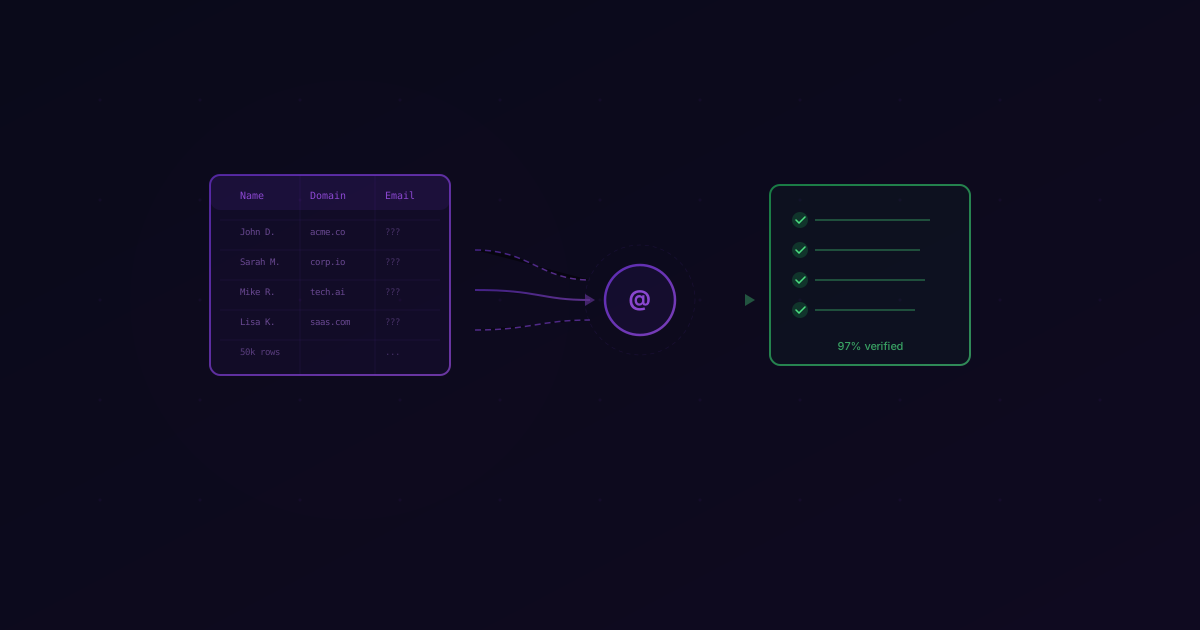
Last quarter we processed over 120 million bulk lookups through our API. Not drip-fed, one-at-a-time lookups — real batch jobs. CSVs with 500,000 rows. API integrations firing 100,000 requests per hour. Clay workflows waterfalling through multiple providers and settling on LeadMagic because the data actually held up.
That volume taught me something most email finder guides ignore: finding emails is easy. Finding emails at scale without destroying your sender reputation is the hard part. When you're pulling 100 emails, a 90% accuracy rate means 10 bounces. Annoying, but survivable. When you're pulling 500,000 emails, that same 90% rate means 50,000 bounces. That's not annoying — that's a domain blacklist waiting to happen.
This guide covers the three methods teams use to find emails in bulk, the real costs at each volume tier, and the accuracy math that most vendors would rather you didn't see.
When You Need a Bulk Email Finder
Not every team needs bulk email finding. If you're an AE working 30 accounts, a Chrome extension is fine. But there are four scenarios where bulk becomes non-negotiable:
Building Outbound Lists from Scratch
You've defined your ICP. You've pulled a list of 5,000 companies from LinkedIn Sales Navigator or a firmographic database. Now you need emails for the decision-makers at each one. Doing this one-by-one would take your SDR team weeks. A bulk email finder does it in minutes.
Cleaning and Re-verifying Your CRM
Your CRM has been accumulating contacts for years. People change jobs. Companies get acquired. Domains expire. If you haven't re-verified your contact database in the last 6 months, a meaningful percentage of your emails are dead. Bulk re-verification catches the rot before it tanks your deliverability.
Account-Based Campaigns
ABM campaigns target specific accounts with multi-threaded outreach — you're not just emailing the VP of Sales, you're reaching the CTO, the head of RevOps, and the procurement lead at the same company. Multiply that across 200 target accounts and you're looking at 800-1,000 contacts that need verified emails, all at once, for a single campaign launch.
Event Follow-Up
You just got back from a conference with 2,000 badge scans. The badge data gives you names and companies, but rarely verified email addresses. You have a 48-hour window where these contacts remember meeting you. Bulk enrichment turns that raw list into a sendable campaign before the window closes.
Method 1: CSV Upload
The simplest way to find emails in bulk is uploading a spreadsheet. No code, no API keys, no engineering time. This is what I recommend for ops teams and SDR managers who need results fast.
How It Works in LeadMagic
-
Prepare your CSV. You need at minimum two columns:
first_nameandlast_name, plus eithercompanyordomain. The more data you provide, the better the match rate. A CSV withfirst_name,last_name,domain, andlinkedin_urlwill return significantly more results than one with just names and company names. -
Upload to LeadMagic. Head to our CSV enrichment tool and drop your file. We accept
.csvand.xlsxup to 500,000 rows. -
Map your columns. The interface will auto-detect most standard column names, but you can manually map any header to the right field. This takes about 10 seconds.
-
Choose your enrichment type. For bulk email finding, select "Email Finder." You can also stack enrichments — find the email and enrich the company data in the same pass.
-
Download results. Processing speed depends on volume. A 1,000-row file typically completes in under 2 minutes. A 50,000-row file takes 15-20 minutes. You'll get your original CSV back with new columns appended:
email,email_status,confidence_score, and any additional enrichment fields you selected.
What the Results Look Like
Your output CSV will include a status for every row:
- valid — We found the email and confirmed it's deliverable via our 5-layer validation pipeline. This is a real mailbox—including on catch-all domains, where most tools return an ambiguous "catch-all" status. LeadMagic resolves catch-all emails to a definitive result.
- not found — We couldn't find a valid email for this person. You're not charged for these rows.
The key detail: you only pay for rows that return a result. If we can't find a valid email, the credit stays in your account. And unlike other tools that punt on catch-all domains with an inconclusive status, LeadMagic resolves them—so you get a clear "valid" or "not found" for every row. This matters enormously at bulk volumes — if your file has a 70% match rate on 10,000 rows, you pay for 7,000 lookups, not 10,000.
Tips for CSV Upload
- Remove duplicates before uploading. Duplicate rows mean duplicate charges.
- Normalize company domains.
www.acme.com,acme.com, andhttps://acme.com/aboutshould all beacme.com. We handle some normalization automatically, but clean input produces better output. - Include LinkedIn URLs when available. A LinkedIn profile URL is the single strongest signal for matching a person to their correct business email.
Method 2: API Batch Processing
If you're enriching data programmatically — inside a CRM sync, a lead routing workflow, or a custom prospecting tool — the API is the way to go. It gives you full control over concurrency, error handling, and how you store results.
The Basic Request
Each email lookup is a single POST request:
curl -X POST https://api.leadmagic.io/v1/people/email-finder \
  -H "X-API-Key: YOUR_API_KEY" \
  -H "Content-Type: application/json" \
  -d '{
    "first_name": "Sarah",
    "last_name": "Chen",
    "domain": "acme.com"
  }'
The response includes the email, a verification status, and a confidence score. Simple enough for one request — but if you have 10,000 contacts, you need a batch strategy.
Batch Processing at Scale
The pattern that works best is chunked concurrency with rate-limit handling: process contacts in batches of 50, with a short delay between batches to stay within rate limits. At this pace, 10,000 contacts complete in roughly 4 minutes.
We have full code examples — including Python, Node.js, caching strategies, webhooks, and error handling — in our API documentation. Rather than maintain a code snippet here that could go stale, check the docs for the latest patterns and SDKs.
Method 3: Clay Waterfall
If you're running outbound in 2026 and you're not using Clay, you're probably working harder than you need to. Clay's waterfall enrichment lets you chain multiple data providers together — if provider A doesn't find the email, it automatically falls through to provider B, then C.
Setting Up LeadMagic in Clay
- Create a new table in Clay and import your prospect list (from LinkedIn, a CSV, or a Clay-native source).
- Add an enrichment column and select "Find Email" as the enrichment type.
- Choose LeadMagic as a provider. You'll need to connect your API key in Clay's integrations settings. Paste your key from the LeadMagic dashboard.
- Configure waterfall order. Most teams I talk to put LeadMagic first in the waterfall because of the accuracy advantage. If LeadMagic returns a valid result, you're done. If not, Clay falls through to the next provider.
- Run the enrichment. Clay processes rows automatically and shows you the source that provided each result.
Why Waterfall + Pay-Per-Result Works
The economics of waterfall enrichment are brutal if you're using subscription-based providers. You're paying monthly fees to multiple tools, and most of those credits go unused when the first provider in the chain returns a result.
With LeadMagic's pay-per-result model, you only pay when we actually return a valid email. If you're second or third in someone else's waterfall, you pay nothing for the rows that were already resolved upstream. If you're first in the waterfall and we can't find the email, you pay nothing and Clay moves to the next provider. Zero waste.
Cost at Scale
This is where the math gets interesting. Most email finder pricing pages show you the per-credit rate but obscure the total cost at real volume. Here's what it actually looks like:
| Volume | LeadMagic | Hunter.io | Apollo.io | Snov.io |
|---|---|---|---|---|
| 1,000 emails | $59.99/mo (Basic — 2,500 credits) | $49/mo (500 searches — need 2 months) | $49/user/mo | $39/mo (1,000 credits) |
| 5,000 emails | $59.99/mo (Basic — 2,500 credits × 2 months) | $149/mo (2,500 searches — need 2 months) | $49/user/mo + credit packs | $99/mo (5,000 credits) |
| 10,000 emails | $99.99/mo (Essential — 10K credits) | $299/mo (10,000 searches) | $79/user/mo (Professional) | $189/mo (20,000 credits) |
| 50,000 emails | $424.99/mo (Professional — 50K credits) | Custom (Enterprise) | $119/user/mo (Organization) | $369/mo (50,000 credits) |
A few things jump out:
LeadMagic scales with you. Credit-based plans start at $59.99/mo (2,500 credits) and go as low as $0.008/credit on higher tiers. Credits roll over on Essential plans and above, so you're not punished for a slow month. You only pay when enrichment succeeds — no wasted spend on "not found" results.
Subscription models punish inconsistency. If your volume fluctuates — and it does for most teams — a monthly subscription means you're either overpaying during slow months or hitting credit limits during busy ones. The "plan upgrade" upsell is how these companies actually make their money.
Per-seat pricing hides the real cost. Apollo charges per user, which means a 5-person SDR team is paying $245/month minimum before you even factor in the credits for actual lookups. The sticker price looks competitive until you multiply by headcount.
Accuracy at Scale
Here's the section most vendors don't want you to read. Accuracy matters more — not less — as your volume increases. The math is unforgiving.
Let's compare two accuracy rates across different volumes:
| Volume | 97% Accuracy (LeadMagic) | 85% Accuracy (Industry Average) | Extra Bounces |
|---|---|---|---|
| 1,000 emails | 30 bounces | 150 bounces | +120 |
| 5,000 emails | 150 bounces | 750 bounces | +600 |
| 10,000 emails | 300 bounces | 1,500 bounces | +1,200 |
| 50,000 emails | 1,500 bounces | 7,500 bounces | +6,000 |
At 10,000 emails, the difference between 97% and 85% accuracy is 1,200 additional bounces. That's not a rounding error — that's a domain reputation crisis. Most email service providers will throttle or suspend your sending if your bounce rate exceeds 2-3%. At 85% accuracy, you're at 15% bounce rate from day one. Your emails are going to spam before you've sent your third campaign.
The cost of bounces isn't just the wasted credit. It's the sender reputation damage, the deliverability drop on your good emails, and the weeks of warming a new domain if things get bad enough. I've talked to teams that burned through three domains in a year because they chose their email finder based on price instead of accuracy.
At scale, accuracy is the cheapest insurance you can buy.
Tips for Better Bulk Results
The quality of your output is directly tied to the quality of your input. Here's how to maximize your match rate and accuracy when running bulk lookups.
Clean Your Input Data
Garbage in, garbage out. Before you upload a CSV or fire off API requests, spend 10 minutes cleaning your data:
- Remove rows with missing names. A first name of "N/A" or a blank last name field won't match anything.
- Fix obvious typos. "Gogle" won't resolve to google.com. "Jonh" might not match "John."
- Standardize name formatting. "JESSE OUELLETTE" and "jesse ouellette" will both work, but "Jesse O." probably won't because the truncated last name reduces match confidence.
Normalize Domains
Domain formatting is the single most common source of failed lookups in bulk files. Normalize everything to bare domains:
https://www.acme.com/careers→acme.comWWW.ACME.COM→acme.comacme.co.uk→ leave as-is (country TLDs are valid)
If you're working with company names instead of domains, expect a lower match rate. "Acme Corp" could be acme.com, acmecorp.com, acme.io, or a dozen other variations. Domains are unambiguous.
Remove Duplicates
This sounds obvious, but I see it constantly. A 10,000-row CSV with 2,000 duplicate entries means you're paying for 2,000 lookups you didn't need. Deduplicate on the combination of first_name + last_name + domain before uploading.
Use Full Names
Initials and nicknames reduce match rates significantly. "J. Ouellette" will match less reliably than "Jesse Ouellette." If you have LinkedIn URLs, even better — a LinkedIn profile URL is the highest-signal input for our Email Finder because it resolves identity unambiguously.
Batch by Domain Quality
Some tools struggle with catch-all domains (common in enterprise), but LeadMagic's Email Finder resolves catch-all emails to a definitive "valid" or "not found" result—so you don't need to separate them into a special batch or accept ambiguous statuses. Every row gets the same 5-layer validation regardless of domain configuration.
FAQ
How long does bulk email finding take?
It depends on the method. CSV upload in LeadMagic processes about 1,000 rows per minute. The API handles 50 concurrent requests per second, so 10,000 lookups complete in roughly 4 minutes with proper batching. Clay waterfall speed depends on how many providers are in your chain, but LeadMagic's response time averages under 2 seconds per lookup.
Is bulk email finding legal?
Yes, with caveats. Finding publicly associated business email addresses is legal in most jurisdictions. What matters legally is what you do with those emails. In the US, CAN-SPAM requires an opt-out mechanism and honest subject lines. In the EU, GDPR requires a legitimate interest basis for B2B outreach — which most sales prospecting qualifies for, but you should document it. We have a full guide on GDPR-compliant prospecting if you're targeting European contacts.
What's the difference between email finding and email validation?
Email finding starts with a person's name and company and discovers their email address. Email validation starts with an email address you already have and checks whether it's deliverable. If you're building a new list, you need email finding. If you're cleaning an existing database, you need validation. LeadMagic's Email Finder includes built-in 5-layer validation, so every email we return is already confirmed valid — you don't need to run a separate validation step.
Can I use bulk email finding with my existing CRM?
Absolutely. The most common workflow is exporting a segment from your CRM (HubSpot, Salesforce, or similar), running it through LeadMagic's CSV enrichment or API, and re-importing the enriched data. If you're using Clay, you can set up a direct integration that enriches CRM records automatically without the export/import cycle.
Bottom Line
Bulk email finding isn't complicated, but it is easy to do badly. The difference between a team that scales outbound successfully and one that burns through domains comes down to three decisions: which method fits your workflow (CSV, API, or Clay), which provider you trust with accuracy at volume, and whether you're willing to invest 10 minutes cleaning your input data.
If you want to test bulk enrichment against your own data, sign up for LeadMagic and upload a sample CSV to our CSV enrichment tool. No annual contracts, credits roll over on Essential+ plans, and you only pay for results. Run 1,000 rows through us and 1,000 rows through whatever you're using today. The bounce rates will tell you everything you need to know.
For a broader look at the tools in this space, check out our best email finder tools comparison.
Related Posts
Compare the top email finder tools for B2B sales in 2026. Honest reviews of accuracy, pricing, and features to help you choose the right tool for your team.
Email finders discover email addresses. Email verifiers check if they're real. Here's when you need each — and why the best tools combine both.
Permutators generate guesses from name patterns. Finders verify the real address. Here's why guessing costs more than teams expect.