
Email Finder API Guide: Code + Integration Patterns
Integrate an email finder API with curl, Python, and Node.js. Includes auth, rate limits, error handling, and batch patterns.
Patrick Spielmann
February 20, 2026
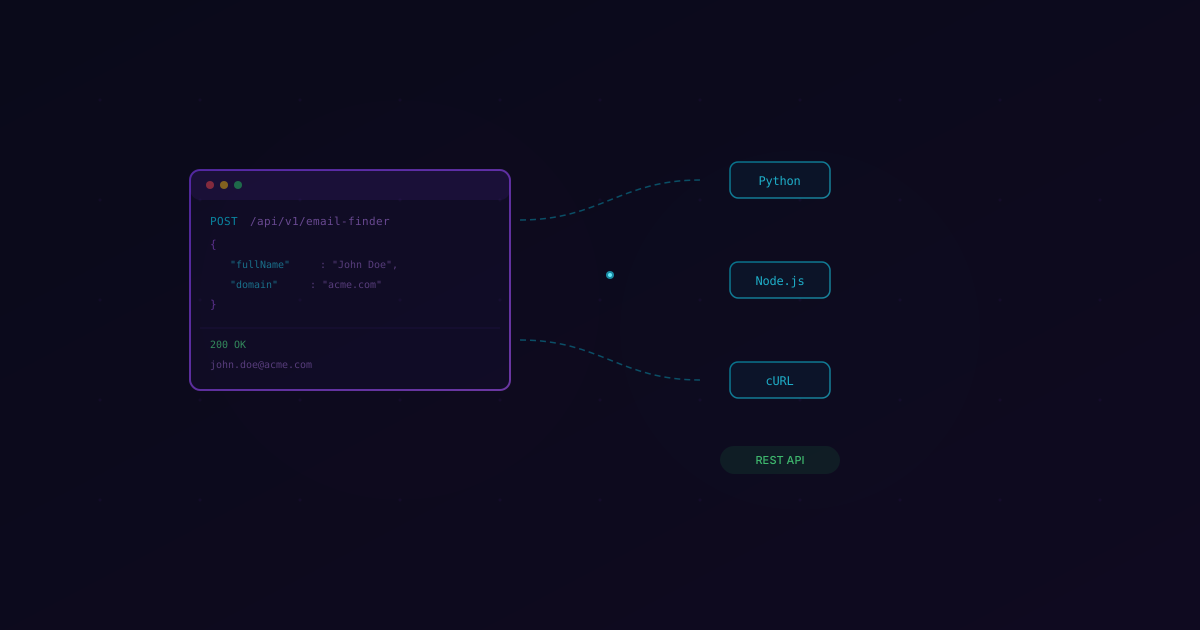
If you're building email enrichment into your product or automating prospecting at scale, you need an API—not a Chrome extension. Extensions are fine for one-off lookups. But when you're processing thousands of leads through a CRM pipeline, enriching contacts in a Clay table, or powering a lead gen feature inside your own SaaS product, you need something that speaks HTTP and returns JSON.
I work closely with our dev team and the hundreds of customers who integrate the LeadMagic Email Finder API. The patterns that separate a clean, reliable integration from a brittle one are surprisingly consistent. This guide covers everything: authentication, code examples in three languages, batch processing, rate limit handling, webhook workflows, and how our API stacks up against the competition.
Whether you're a backend engineer adding enrichment to an internal tool or a growth engineer stitching together a Clay/n8n/Make automation, this is the reference we wish existed when we were evaluating third-party enrichment APIs ourselves.
Why Use an Email Finder API?
Before we get into code, let's talk about why an API is the right choice—and when it isn't.
Automation at Any Scale
A Chrome extension requires a human to click buttons. An API requires a POST request. If you're enriching 10 leads a day, the extension is fine. If you're enriching 10,000, you need an API. There's no middle ground here. Every team I've seen try to scale manual enrichment eventually hits a wall around 200 lookups per day, and then they start building automations anyway.
Integration With Your Existing Stack
APIs compose. You can call an email finder API from your CRM's webhook, from a Zapier/Make/n8n flow, from a Python script running on a cron job, or from a microservice in your product. The data flows directly into whatever system needs it—no copy-pasting, no CSV exports, no browser tabs.
Consistent, Programmatic Results
When you call an API, you get structured JSON back. Every response has the same shape. You can write code that handles success, not-found, and error cases predictably. Compare that to scraping a Chrome extension's UI or manually interpreting visual indicators. Structured data is testable data.
Cost Efficiency at Volume
Most email finder APIs—including ours—charge per successful lookup. At scale, the per-unit cost drops significantly compared to seat-based tools that charge $100+/month per user regardless of usage. If you're building enrichment into a product, pay-per-result pricing means your costs scale linearly with value delivered.
Getting Started with the LeadMagic Email Finder API
Setting up is straightforward. You need three things: an API key, the base URL, and a JSON body.
Authentication
All requests authenticate via the X-API-Key header. You can generate an API key from your LeadMagic dashboard. Store it as an environment variable—never hardcode it.
export LEADMAGIC_API_KEY="your_api_key_here"
Base URL
All API endpoints live under:
https://api.leadmagic.io/v1
Request Format
The email finder endpoint accepts a POST request with a JSON body containing the person's full name and their company domain:
{
  "fullName": "Jane Smith",
  "domain": "acme.com"
}
Response Format
A successful lookup returns the email, its verification status, and a confidence score:
{
  "success": true,
  "data": {
    "email": "jane.smith@acme.com",
    "status": "valid",
    "confidence": 97
  }
}
When the person can't be found, you'll get a clear not-found response:
{
  "success": false,
  "error": "email_not_found",
  "details": {
    "reason": "No valid email found for this person at the given domain."
  }
}
You're only charged for successful lookups where we return a valid email. No result, no charge.
Code Examples
Let's look at real implementations in curl, Python, and Node.js.
curl
The simplest way to test the API. Great for quick lookups and debugging:
curl -X POST https://api.leadmagic.io/v1/people/email-finder \
  -H "Content-Type: application/json" \
  -H "X-API-Key: $LEADMAGIC_API_KEY" \
  -d '{
    "fullName": "Jane Smith",
    "domain": "acme.com"
  }'
Python (requests)
A clean Python implementation with proper error handling:
import os
import requests

API_KEY = os.environ["LEADMAGIC_API_KEY"]
BASE_URL = "https://api.leadmagic.io/v1"

def find_email(full_name: str, domain: str) -> dict | None:
    """Find an email address for a person at a given company domain."""
    response = requests.post(
        f"{BASE_URL}/people/email-finder",
        headers={
            "Content-Type": "application/json",
            "X-API-Key": API_KEY,
        },
        json={"fullName": full_name, "domain": domain},
        timeout=30,
    )

    if response.status_code == 429:
        retry_after = int(response.headers.get("Retry-After", 60))
        raise Exception(f"Rate limited. Retry after {retry_after}s")

    if response.status_code == 401:
        raise Exception("Invalid API key")

    response.raise_for_status()
    result = response.json()

    if result.get("success"):
        return result["data"]

    return None


# Usage
result = find_email("Jane Smith", "acme.com")
if result:
    print(f"Found: {result['email']} (confidence: {result['confidence']}%)")
else:
    print("Email not found")
Node.js (fetch)
The same pattern in modern JavaScript with async/await:
const API_KEY = process.env.LEADMAGIC_API_KEY;
const BASE_URL = "https://api.leadmagic.io/v1";

async function findEmail(fullName, domain) {
  const response = await fetch(`${BASE_URL}/people/email-finder`, {
    method: "POST",
    headers: {
      "Content-Type": "application/json",
      "X-API-Key": API_KEY,
    },
    body: JSON.stringify({ fullName, domain }),
  });

  if (response.status === 429) {
    const retryAfter = response.headers.get("Retry-After") || 60;
    throw new Error(`Rate limited. Retry after ${retryAfter}s`);
  }

  if (response.status === 401) {
    throw new Error("Invalid API key");
  }

  if (!response.ok) {
    const error = await response.json();
    throw new Error(`API error ${response.status}: ${error.error}`);
  }

  const result = await response.json();
  return result.success ? result.data : null;
}

// Usage
const result = await findEmail("Jane Smith", "acme.com");
if (result) {
  console.log(`Found: ${result.email} (confidence: ${result.confidence}%)`);
} else {
  console.log("Email not found");
}
Handling Edge Cases
Every production integration needs to handle three response categories:
- Success —
success: truewith adataobject. Use the email, store it, enrich your CRM record. - Not Found —
success: falsewith anerrorfield. The person exists but we couldn't find a valid email. Don't retry immediately—the result won't change. - Error — HTTP 4xx/5xx. Could be rate limiting (429), authentication failure (401), malformed request (400), or a server-side issue (500). These are retryable (except 401 and 400).
Batch Processing
Single lookups are fine for real-time enrichment. But if you're processing a CSV of 10,000 prospects, you need a batch strategy. Here's a Python async implementation that handles concurrency and rate limits:
import asyncio
import csv
import aiohttp
import os
from typing import Any

API_KEY = os.environ["LEADMAGIC_API_KEY"]
BASE_URL = "https://api.leadmagic.io/v1"
MAX_CONCURRENT = 10
RATE_LIMIT_DELAY = 0.1  # 100ms between requests

semaphore = asyncio.Semaphore(MAX_CONCURRENT)

async def find_email_async(
    session: aiohttp.ClientSession,
    full_name: str,
    domain: str,
    retries: int = 3,
) -> dict[str, Any]:
    """Find email with automatic retry and backoff."""
    async with semaphore:
        for attempt in range(retries):
            try:
                async with session.post(
                    f"{BASE_URL}/people/email-finder",
                    json={"fullName": full_name, "domain": domain},
                    headers={
                        "Content-Type": "application/json",
                        "X-API-Key": API_KEY,
                    },
                ) as resp:
                    if resp.status == 429:
                        retry_after = int(
                            resp.headers.get("Retry-After", 2 ** (attempt + 1))
                        )
                        await asyncio.sleep(retry_after)
                        continue

                    data = await resp.json()
                    return {
                        "full_name": full_name,
                        "domain": domain,
                        "email": data["data"]["email"] if data.get("success") else None,
                        "confidence": data["data"].get("confidence") if data.get("success") else None,
                        "status": "found" if data.get("success") else "not_found",
                    }

            except aiohttp.ClientError:
                if attempt == retries - 1:
                    return {
                        "full_name": full_name,
                        "domain": domain,
                        "email": None,
                        "confidence": None,
                        "status": "error",
                    }
                await asyncio.sleep(2 ** attempt)

        await asyncio.sleep(RATE_LIMIT_DELAY)


async def process_csv(input_path: str, output_path: str):
    """Process a CSV of prospects and write results to a new CSV."""
    with open(input_path) as f:
        reader = csv.DictReader(f)
        prospects = list(reader)

    print(f"Processing {len(prospects)} prospects...")

    async with aiohttp.ClientSession() as session:
        tasks = [
            find_email_async(session, row["full_name"], row["domain"])
            for row in prospects
        ]
        results = await asyncio.gather(*tasks)

    found = sum(1 for r in results if r["status"] == "found")
    print(f"Found {found}/{len(results)} emails ({found/len(results)*100:.1f}%)")

    with open(output_path, "w", newline="") as f:
        writer = csv.DictWriter(
            f, fieldnames=["full_name", "domain", "email", "confidence", "status"]
        )
        writer.writeheader()
        writer.writerows(results)

    print(f"Results written to {output_path}")

# Run it
# asyncio.run(process_csv("prospects.csv", "enriched.csv"))
This script processes up to 10 lookups concurrently with automatic retry on rate limits and exponential backoff on errors. For most accounts, this will process around 5,000 prospects per hour.
If you'd rather skip the code entirely, our CSV enrichment tool handles all of this with a drag-and-drop interface. Upload your file, map the columns, and download the results.
Rate Limits and Best Practices
Every API has rate limits, and ignoring them is the fastest way to turn a working integration into a broken one. Here's what you need to know about ours.
Current Limits
| Plan | Requests/Second | Requests/Minute | Daily Limit |
|---|---|---|---|
| Starter | 5 | 100 | 5,000 |
| Growth | 20 | 500 | 50,000 |
| Enterprise | Custom | Custom | Unlimited |
When you hit a rate limit, the API returns a 429 Too Many Requests response with a Retry-After header indicating how many seconds to wait.
Implementing Exponential Backoff
The right pattern for handling rate limits is exponential backoff with jitter. Here's the approach we recommend:
import time
import random

def request_with_backoff(fn, max_retries=5):
    """Execute a function with exponential backoff on rate limits."""
    for attempt in range(max_retries):
        try:
            return fn()
        except RateLimitError:
            if attempt == max_retries - 1:
                raise
            base_delay = 2 ** attempt
            jitter = random.uniform(0, base_delay * 0.5)
            delay = base_delay + jitter
            time.sleep(delay)
Adding jitter prevents the "thundering herd" problem—if 50 concurrent workers all hit a rate limit at the same time, you don't want them all retrying at the exact same moment.
Other Best Practices
- Cache results. If you've already looked up jane.smith@acme.com, store the result. Email addresses don't change frequently.
- Validate inputs before calling. Don't send requests with empty names or obviously invalid domains. Validate client-side first.
- Use timeouts. Set a 30-second timeout on all API calls. If a request hangs, fail fast and retry.
- Monitor your usage. Track your daily API calls against your limit. Set up alerts at 80% capacity so you're never surprised.
- Deduplicate your input. Before processing a batch, remove duplicate name+domain pairs. You'll save credits and time.
Webhook Integration
For workflows where you need real-time enrichment without polling, webhooks are the cleanest pattern. The idea is simple: instead of your application waiting for each API response, you fire off lookup requests and specify a callback URL. When the result is ready, we POST it to your endpoint.
Here's a pattern for building a webhook receiver in Node.js with Express:
import express from "express";
import crypto from "crypto";

const app = express();
app.use(express.json());

app.post("/webhooks/email-found", (req, res) => {
  const signature = req.headers["x-leadmagic-signature"];
  const payload = JSON.stringify(req.body);
  const expected = crypto
    .createHmac("sha256", process.env.WEBHOOK_SECRET)
    .update(payload)
    .digest("hex");

  if (signature !== expected) {
    return res.status(401).json({ error: "Invalid signature" });
  }

  const { fullName, domain, email, confidence } = req.body;

  // Update your CRM, database, or trigger the next step
  console.log(`Enriched: ${fullName} @ ${domain} → ${email} (${confidence}%)`);

  // Acknowledge receipt
  res.status(200).json({ received: true });
});

app.listen(3000);
The webhook payload mirrors the standard API response, so you can reuse the same parsing logic across both synchronous and asynchronous flows.
This pattern works particularly well for:
- CRM enrichment pipelines where leads come in via form submissions and you want to enrich them in the background
- Event-driven architectures where enrichment is one step in a larger processing pipeline
- High-volume batch jobs where you want to fire-and-forget lookups and collect results as they arrive
Comparing Email Finder APIs
If you're evaluating APIs, here's how the major players compare on the dimensions that matter to developers:
| Feature | LeadMagic | Hunter API | Apollo API | Snov.io API |
|---|---|---|---|---|
| Auth Method | API key (header) | API key (param) | API key (header) | API key (header) |
| Rate Limit | 5-20 req/s | 10 req/s | 5 req/s | 2 req/s |
| Pricing | From $0.008-0.024/credit | $0.01-0.03/result | Credits (bundled) | $0.02/result |
| Pay-per-result | Yes | Partial | No (credit-based) | Partial |
| Accuracy | 97% | 85-90% | 80-85% | 82-88% |
| Avg Response Time | ~800ms | ~1.2s | ~2s | ~1.5s |
| Catch-All Handling | Yes (resolved to valid/not found) | Basic | No | Basic |
| Batch Endpoint | Yes | Yes | Yes | Yes |
| Webhook Support | Yes | No | No | No |
| Docs Quality | REST + examples | REST + examples | GraphQL (complex) | REST + examples |
A few notes on this comparison. Hunter is a solid API with good documentation, but their accuracy drops significantly on non-US domains. Apollo's API is powerful but complex—it's built on GraphQL, which adds overhead if all you need is email finding. Snov.io's rate limits are restrictive on lower-tier plans, which can bottleneck batch processing.
Our accuracy numbers come from internal testing against the same 500-prospect benchmark set we use for all email finder tool comparisons. Your results may vary based on your target market and domain mix.
For a deeper breakdown of how LeadMagic compares to specific competitors, check out our enrichment API integration guide.
Common Integration Patterns
After supporting hundreds of teams who integrate our API, three patterns come up consistently. Each one solves a different workflow problem.
CRM Enrichment on Lead Creation
The most common pattern. When a new lead enters your CRM (via form submission, import, or manual entry), a webhook fires and triggers an email lookup. The result gets written back to the lead record automatically.
New Lead in CRM → Webhook → LeadMagic API → Update Lead Record
This works with HubSpot, Salesforce, Pipedrive, and any CRM that supports webhook triggers. The entire round-trip typically takes under 2 seconds, so by the time a sales rep opens the lead record, the email is already there.
Clay Waterfall Enrichment
Clay is built around the concept of waterfall enrichment—try Provider A, and if they don't have a result, fall to Provider B. LeadMagic slots in as a primary or secondary provider in these waterfalls.
The typical setup:
- Column 1: Input data (name + company)
- Column 2: LeadMagic email lookup (primary provider)
- Column 3: Fallback provider (if LeadMagic returns no result)
- Column 4: Email verification (validate the winning result)
Because we only charge on successful lookups, using LeadMagic as your primary provider in a waterfall is cost-efficient. You only pay when we deliver, and the fallback provider only gets called when we can't find the email.
n8n / Make Automation Workflows
For teams that don't write code, n8n and Make (formerly Integromat) provide visual workflow builders that can call the LeadMagic API via HTTP request nodes. The setup is identical to the curl example above—you configure a POST request with the API key header and JSON body.
A typical n8n workflow for automated prospecting:
- Trigger: New row in Google Sheets
- HTTP Request: Call LeadMagic email finder
- IF node: Check if email was found
- True branch: Add to outreach sequence (Instantly, Smartlead, etc.)
- False branch: Flag for manual review
This entire workflow runs on autopilot. Add a name and domain to your spreadsheet, and the system finds the email, verifies it, and loads it into your outreach tool within seconds.
FAQ
How accurate is the LeadMagic Email Finder API?
Our email finder achieves 97% deliverability accuracy across our benchmark dataset. This means 97 out of 100 emails we return will land in a real inbox without bouncing. We run a 5-layer validation pipeline—MX record check, SMTP verification, catch-all resolution, deliverability scoring, and format validation—before returning any result. Unlike other tools that return an ambiguous "catch-all" status, LeadMagic resolves catch-all emails to a definitive "valid" or "not found." If we can't verify an email to a high confidence level, we don't return it, and you don't get charged. See our full accuracy methodology for details.
What happens if the API can't find an email?
You get a structured success: false response with a reason code. You are not charged for unsuccessful lookups—our pay-per-result model means you only pay when we deliver a valid email. The not-found result is cached on our end, so repeated lookups for the same person won't count against your rate limit. If someone changes jobs or domains, our data refreshes periodically, so a lookup that failed last month may succeed this month.
Can I use the API for email verification only?
The email finder and email verifier are separate endpoints. If you already have an email address and just want to verify it, use our verification endpoint instead. The finder is designed for the "I have a name and a company, find me their email" use case. For bulk verification of existing lists, check out our CSV enrichment tool or the verification API endpoint in our API documentation.
What's the difference between an email finder API and a scraping tool?
An email finder API like LeadMagic uses a combination of proprietary databases, pattern matching, SMTP verification, and public data signals to find and verify professional email addresses. It does not scrape websites or violate terms of service. The results are verified before delivery, which is why our accuracy is significantly higher than scraping-based tools. If you're evaluating the differences, our email finder vs email verifier guide breaks down the distinctions in detail.
Building email enrichment into your product or workflow shouldn't require a PhD in API integration. The patterns above cover 90% of the use cases we see across our customer base. Start with the single-lookup example, get it working in your environment, and then scale up to batch processing when you're ready.
If you want to skip the implementation and just start finding emails, our Email Finder tool lets you look up individual emails instantly, and the CSV upload tool handles bulk processing without writing a single line of code.
Questions about the API? Reach out — we read every message.
Related Posts
How to extract text from any website — browser tools, Python scripts, and APIs. Covers JS-rendered pages and AI-ready output.
Learn how to convert HTML to Markdown with Python, JavaScript, Pandoc, and online tools. Code examples and comparison table included.
Markdown vs HTML — syntax differences, when to use each, and conversion methods. Why markdown wins for LLMs and AI pipelines.