
Email List Cleaning: The Complete Guide for 2026
Step-by-step guide to email list cleaning with real before/after metrics, catch-all handling, and a cadence that protects sender reputation.
Patrick Spielmann
February 8, 2026
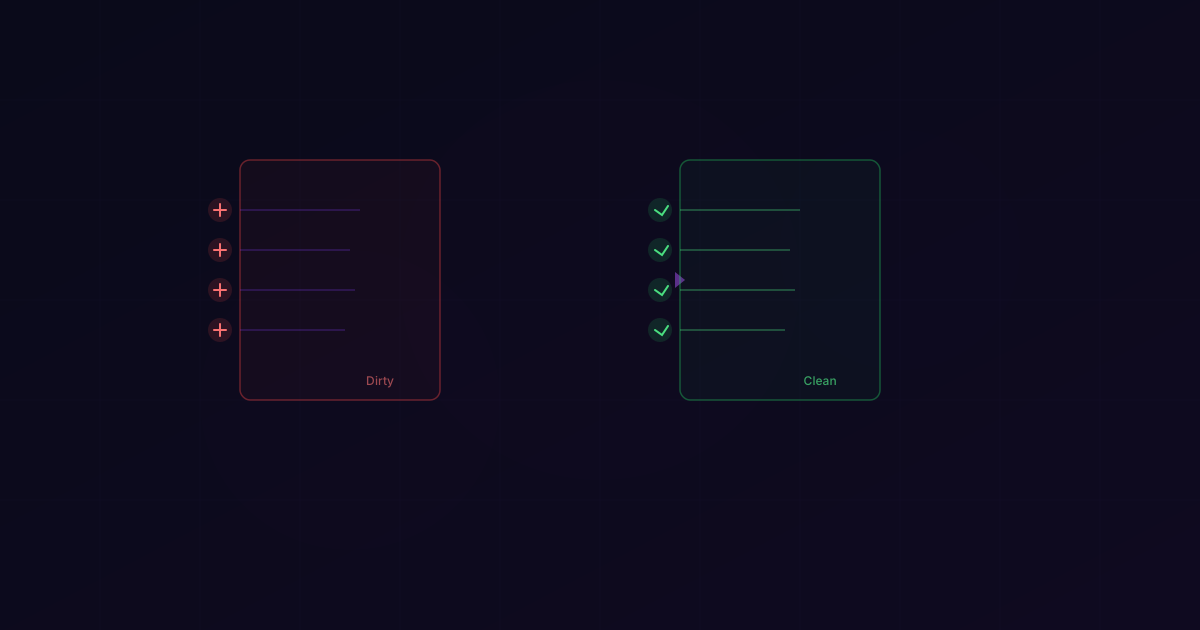
Two months ago, a RevOps lead at a 200-person SaaS company sent me a panicked Slack message. Their main outbound domain had just been blacklisted by Spamhaus. Open rates had cratered from 42% to 9% overnight. Their SDR team was essentially grounded.
The culprit: a 67,000-contact database they'd been mailing for 18 months without cleaning. When I ran the list through LeadMagic, 23% of the addresses were invalid. Another 11% were catch-all domains that had been silently bouncing.
Their sender reputation wasn't killed by spam complaints or bad content. It was killed by dirty data.
This guide is everything I've learned running go-to-market and helping B2B teams fix their outbound — when to clean, how to do it right, what tools to use, and the mistakes I see teams make constantly.
Signs Your List Needs Cleaning
You don't need a crisis to justify list cleaning. But you should recognize the warning signs before they become a crisis.
Hard Bounce Rate Above 2%
Industry standard says 2% is the line. I think that's too generous — anything above 1% should trigger a cleaning. Hard bounces mean you're mailing addresses that don't exist, and every one of them is a signal to ISPs that you're not maintaining your data.
For context, the average bounce rate across LeadMagic customers who verify before sending is 0.8%. Customers who don't verify average 8.4%. That's a 10x difference.
Open Rates Declining Month-Over-Month
If your open rates are dropping and you haven't changed your copy, subject lines, or send times, your sender reputation is probably degrading. ISPs are routing more of your emails to spam because they've seen too many bounces and too little engagement from your sends.
Spam Complaints Above 0.1%
Google's 2024 sender requirements made this explicit: if your spam complaint rate exceeds 0.3%, you will be throttled or blocked. But damage starts well before 0.3%. Aim for under 0.1%.
Old, uncleaned lists accumulate stale addresses that forward to spam traps. You'll never see the spam trap hit — it doesn't generate a bounce or a complaint notification. It silently destroys your reputation.
You Haven't Cleaned in 3+ Months
Email addresses decay at roughly 2-3% per month. People change jobs, companies rebrand, domains expire, mail servers get reconfigured. A list that was 95% valid three months ago might be 88% valid today. Six months? You could be below 80%.
You Imported Emails from a New Source
Purchased lists, event registrations, scraped data, merged CRMs — any time new emails enter your database from an external source, they need verification before you send to them. I've seen purchased lists with 40%+ invalid rates.
What List Cleaning Actually Does
List cleaning isn't just "remove bounced emails." It's a multi-step process that addresses every category of problematic address.
1. Remove Invalid Emails
The obvious one. These are addresses where the mailbox doesn't exist, the domain is dead, or the mail server explicitly rejects the recipient. Running your list through email verification catches these.
2. Resolve Catch-All Domains
About 30% of B2B email domains are configured as catch-all — the server accepts everything, even addresses that don't exist. Most cleaning tools stop here and label these as "risky" or "unknown."
This is where I think most teams make their biggest mistake. They either delete all catch-alls (losing up to 30% of their valid contacts) or keep all of them (accepting bounces from the invalid ones).
LeadMagic's catch-all validation resolves catch-all emails to valid or invalid using pattern analysis and secondary signals. In our testing, we resolve 94%+ of catch-all addresses to a definitive status. It's the single most impactful feature for list cleaning accuracy.
3. Remove Disposable/Temporary Emails
Addresses from Guerrilla Mail, Temp Mail, 10MinuteMail, and hundreds of similar services. These are usually created to bypass form gating and will never receive your outbound. Any good verification tool flags these automatically.
4. Flag Role-Based Addresses
info@, support@, sales@, admin@, webmaster@ — these aren't individual people. They're shared mailboxes. Whether you remove them depends on your use case:
- Outbound sales: Remove them. You want a specific person, not a generic inbox.
- Marketing newsletters: Keep them if the contact opted in.
- Transactional email: Keep them — support@ might be exactly who needs the message.
5. Deduplicate
Duplicate entries inflate your send volume and can trigger duplicate-send detection at ESPs. Deduplicate by email address, not by name — the same person might appear multiple times with slightly different names but the same email.
6. Remove Syntax Errors
Missing @ symbols, spaces in addresses, double dots, invalid TLDs. These should have been caught on input, but legacy data is full of them. A simple regex pass catches most, but verification tools handle this as part of their standard checks.
Step-by-Step: Cleaning a List with LeadMagic
Here's the exact workflow I walk teams through when they need a database clean. I'll use real numbers from a cleaning I helped run last month.
The Starting Point
A B2B staffing company had a CRM with 47,000 email contacts accumulated over 3 years. They'd never done a systematic cleaning. Their bounce rate had crept up to 6.2%, and their Gmail deliverability was tanking.
Step 1: Export Your Full Contact List
Pull every email from your CRM. Don't pre-filter — you want the complete picture. Export as CSV with at least the email column. If you have a "last engaged" date, include that too.
Step 2: Upload to LeadMagic
Go to CSV enrichment, upload the file, and map the email column. Select "Email Verification" as the enrichment type. Enable catch-all resolution — this is critical for B2B lists.
Step 3: Wait for Processing
47,000 emails took about 62 minutes to process. Larger lists scale linearly — I've seen 500K-row files finish in under 6 hours.
Step 4: Analyze the Results
Here's what came back:
| Status | Count | % of Total |
|---|---|---|
| Valid | 28,300 | 60.2% |
| Invalid | 9,800 | 20.9% |
| Catch-all (resolved valid) | 5,100 | 10.9% |
| Catch-all (resolved invalid) | 1,900 | 4.0% |
| Catch-all (unresolved) | 400 | 0.9% |
| Disposable | 620 | 1.3% |
| Role-based | 580 | 1.2% |
| Syntax error | 300 | 0.6% |
So out of 47,000 emails:
- 33,400 were confirmed valid (28,300 standard + 5,100 resolved catch-all) — 71.1% of the original list
- 12,620 needed removal (invalid + resolved-invalid catch-all + disposable + syntax errors) — 26.9%
- 980 were flagged for review (unresolved catch-all + role-based) — 2.0%
Step 5: Import the Clean List
Download the verified results. Filter to "valid" status only (or valid + role-based if you want those). Import back into your CRM, replacing or flagging the old records.
The After
The staffing company reimported the 33,400 valid contacts. Here's what happened over the next 30 days:
| Metric | Before Cleaning | After Cleaning | Change |
|---|---|---|---|
| Bounce rate | 6.2% | 0.7% | -88.7% |
| Open rate | 18.4% | 31.2% | +69.6% |
| Reply rate | 1.1% | 2.8% | +154.5% |
| Spam complaints | 0.24% | 0.06% | -75.0% |
| Emails sent/day | 2,000 | 2,000 | — |
| Meetings booked/week | 4 | 11 | +175% |
The meetings increase is the number that matters. They weren't sending to more people — they were reaching real people in primary inboxes instead of bouncing off dead addresses and landing in spam.
How Often to Clean
This is the question I get most often, and the answer depends on your sending velocity and data sources.
Monthly (Recommended for Active Outbound)
If you're sending cold outbound daily through tools like Smartlead, Instantly, or Apollo, clean your active sending lists monthly. Email addresses churn faster than most people realize — the average B2B professional changes jobs every 2.8 years, which means roughly 3% of your contacts change their email every month.
Monthly cleaning costs: for a 50,000-contact database at LeadMagic's rates (0.25 credits per validation), you're looking at 12,500 credits — roughly $100-$180/month depending on your plan. That's less than the cost of one burnt domain.
Quarterly (Minimum for Everyone)
If you're sending less frequently — monthly newsletters, quarterly campaigns — clean before each major send. A quarterly cadence lets 6-9% of addresses decay, which is manageable but not ideal.
Before Every Campaign (Non-Negotiable for Purchased/Event Lists)
Any emails from external sources get verified before they touch your sending infrastructure. No exceptions. I've seen a single imported batch of 3,000 unverified event leads tank a domain that took six months to warm up.
After CRM Migrations or Merges
When you consolidate databases — merging two CRMs, importing from a legacy system, onboarding a new team with their own contacts — run everything through verification. Merged databases always contain duplicates, stale entries, and formatting inconsistencies.
Common Mistakes
I've helped dozens of teams clean their lists and audited the processes of many more. These are the mistakes I see over and over.
Mistake 1: Cleaning Once and Calling It Done
List cleaning isn't a one-time event. It's a recurring process. I was talking to a VP of Sales last quarter who was proud that they'd cleaned their list "back in 2024." That was 18 months ago. At 3% monthly decay, a third of those emails were probably invalid.
Set a recurring calendar reminder. Build it into your ops workflow. Make it someone's job.
Mistake 2: Deleting All Catch-All Emails
This is the most expensive mistake in list cleaning. A team with 100,000 contacts and 30% catch-all domains will delete 30,000 emails if they blanket-remove catch-alls. If even half of those are valid — and in my experience, roughly 60-65% of catch-all emails ARE valid — you've just deleted 18,000 reachable prospects.
Use a tool that resolves catch-alls instead of flagging them. LeadMagic resolves 94%+ of catch-all emails to a definitive status — I've validated this number across multiple customer deployments. That 18,000 you'd have deleted becomes 17,000 confirmed valid + 1,000 confirmed invalid — and you keep the valid ones.
Mistake 3: Not Re-Verifying Old Contacts
An email verified six months ago isn't necessarily valid today. People leave companies. Domains change hands. Mail server configurations shift. If a contact hasn't engaged with your emails in 90+ days and they were last verified more than 3 months ago, re-verify before your next send.
Mistake 4: Ignoring Role-Based Addresses in Outbound
Sending cold outbound to info@company.com is almost always a waste. Role-based addresses in sales sequences have reply rates near zero and higher complaint rates than personal addresses. Filter them out of outbound lists and keep them only for marketing or support use cases.
Mistake 5: Using the Cheapest Tool and Assuming It's Good Enough
We tested 10 verification tools on 10,000 real emails (you can read the full comparison). Accuracy ranged from 92.8% to 99.5%. The difference between a 93% tool and a 99.5% tool on a 50,000-contact list is 3,250 misclassified emails.
Some of those are false positives — valid emails incorrectly marked invalid (lost opportunities). Some are false negatives — invalid emails marked valid (bounces that damage your reputation). Both cost you money and results.
Mistake 6: Not Tracking Cleaning Metrics
If you don't know your pre-cleaning vs. post-cleaning bounce rates, invalid percentages, and deliverability scores, you can't measure ROI or optimize your cadence. Keep a log. Track it quarter-over-quarter. The data will tell you exactly how aggressively you need to clean.
Tools for List Cleaning
Here's my honest assessment of the top options, based on running them across real customer workloads.
LeadMagic
Starting at: $59.99/mo for 2,500 credits | Accuracy: 99.5% | Catch-all resolution: Yes (94%+)
What I'd recommend, obviously — it's the tool I use daily. The differentiator is catch-all resolution — it's the only tool that resolves catch-all domains to valid/invalid at scale. Combined email finder + email verification means you can find missing emails and verify existing ones in the same platform. Sub-200ms API, native Clay and n8n integrations, bulk CSV processing.
Where it falls short: if you have a 500K-row list and don't care about catch-all resolution, it's not the cheapest option.
ZeroBounce
Starting at: $15/mo for 2,000 emails | Accuracy: 97.8% | Catch-all resolution: No (flags only)
Solid accuracy on standard domains. Good AI-based scoring and toxicity detection. Their "Activity Data" feature estimates how active an email address is, which is useful for engagement-based list segmentation.
The gap: catch-all domains get flagged but not resolved. For B2B lists heavy on enterprise domains, this leaves a significant blind spot. See the LeadMagic vs ZeroBounce comparison.
NeverBounce
Starting at: $0.008/email | Accuracy: 96.9% | Catch-all resolution: No (flags only)
Reliable, established, owned by ZoomInfo. Their Syncs feature can auto-clean CRM lists on a schedule — genuinely useful for teams that want to set it and forget it. Good API and bulk processing.
The gap: same catch-all limitation as ZeroBounce. Accuracy has slipped slightly in recent testing. Pricing is mid-tier but not exceptional. Full breakdown at LeadMagic vs NeverBounce.
Budget Option: MillionVerifier
Starting at: $0.0003/email | Accuracy: 95.8% | Catch-all resolution: No
If you have a massive list and tight budget, MillionVerifier will do a quick first pass at negligible cost. Then run the "risky" and "catch-all" results through LeadMagic for definitive answers. This two-pass approach gives you high accuracy at lower total cost than running everything through a premium tool.
The tradeoff: the 95.8% accuracy means you'll have more misclassified emails. For a first-pass filter, that's often acceptable. For your final verification before sending, it's not. See the LeadMagic vs MillionVerifier comparison.
Building a Cleaning Workflow
Here's the system I set up for every outbound team I advise:
Weekly: Monitor bounce rates and spam complaints in your ESP. If either spikes, trigger an immediate cleaning.
Monthly: Run your active sending list (contacts who'll receive outbound in the next 30 days) through verification. Remove invalids, resolve catch-alls, flag role-based.
Quarterly: Full database audit. Verify everything in your CRM, even contacts you're not actively mailing. Identify and archive contacts that have been invalid for two consecutive verifications.
On import: Every new batch of emails — purchased lists, event leads, scraped data, CRM imports — gets verified before entering your sending infrastructure. No exceptions.
On re-engagement: Before re-engaging contacts who haven't been mailed in 90+ days, re-verify. Their addresses may have decayed.
This cadence prevents the slow rot that kills sender reputations. Most domain blacklistings I've seen aren't caused by a single bad send — they're caused by months of gradual decay that nobody noticed until open rates cratered.
The cost of ongoing cleaning is real — a few hundred dollars a month for a medium-sized database. But it's a rounding error compared to the cost of a blacklisted domain, a suspended ESP account, or a sales team that can't reach their prospects because their emails land in spam.
Clean your lists. Clean them regularly. And don't skip the catch-all resolution — it's where the biggest accuracy gains live.
Related Posts
I ran 10,000 real B2B emails through 10 verification tools and measured accuracy, speed, catch-all handling, and cost. Here's what actually works.
Practical guide to cleaning email lists at scale: CSV workflow, 73K-email case study, processing speeds, and provider cost comparisons.
40% of enterprise domains are catch-all. Most verifiers label them 'risky.' Here's how we resolve them for real outbound decisions.